

One AI-native CRM.
Your customer context, connected.

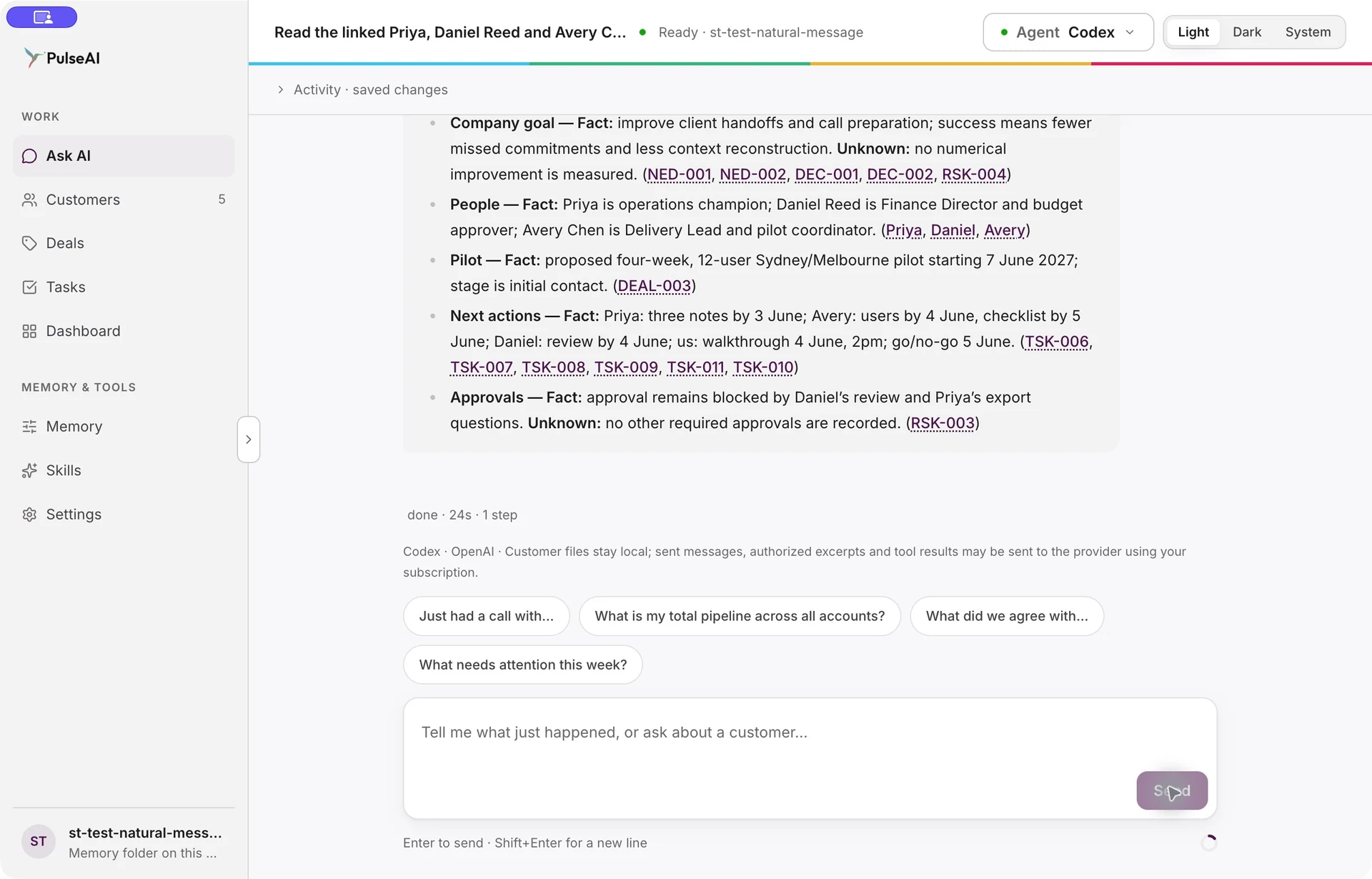
Ask AI, Customers, Deals, Tasks, Skills and Memory work from the same customer knowledge on your desktop. Start with a message, then see the relationship and the work take shape.

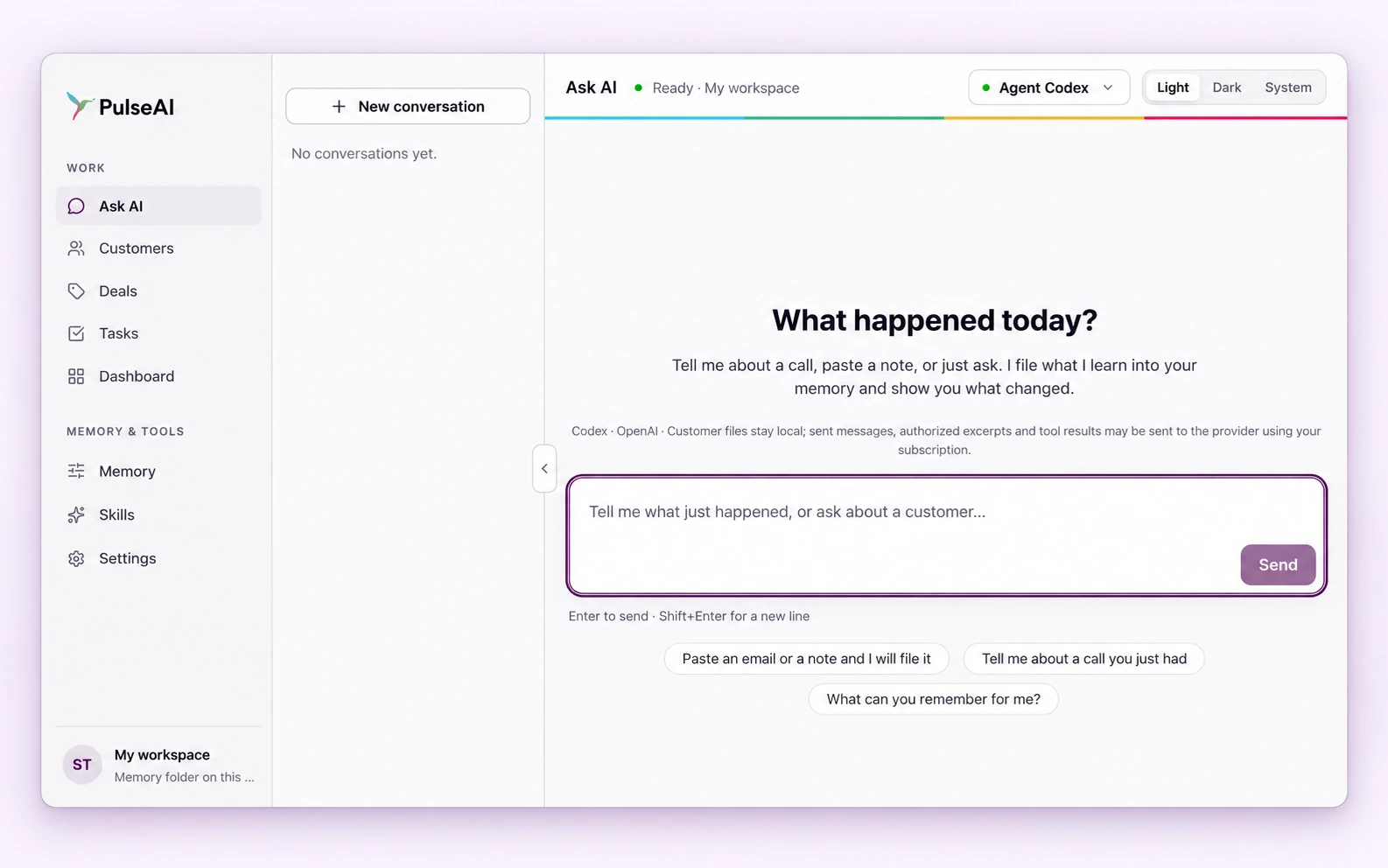
PulseAI desktop: the conversation workspace, natural-language message box and customer navigation.
Play walkthrough

From customer context
to your next move.

One connected workspace.
Take a closer look.

Inside PulseAI · Sample data
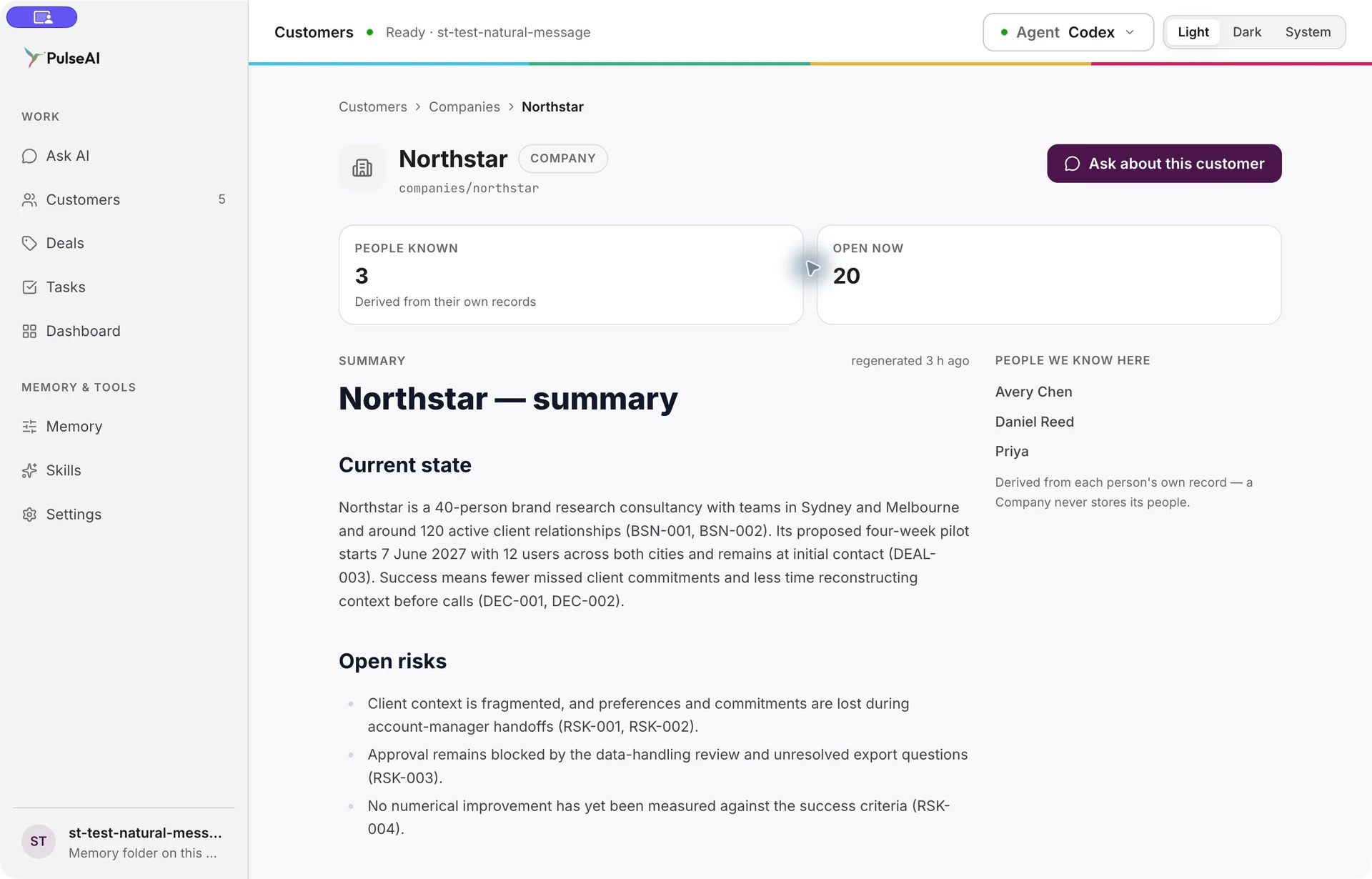
Actual Northstar Company view with three linked people, current context and open risks.
The people, priorities and story so far.Customers · Desktop capture
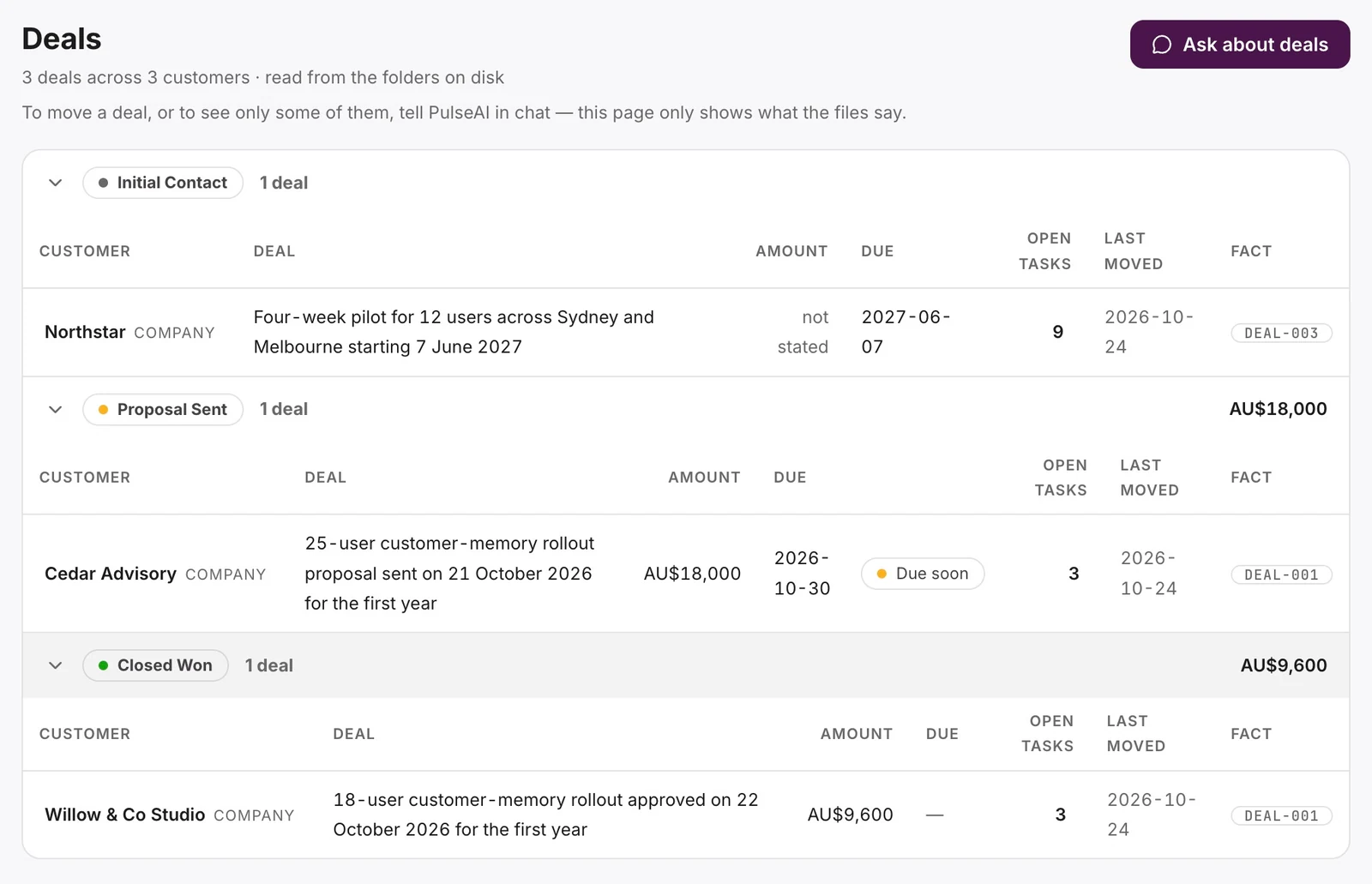
Actual Deals page with opportunities across multiple companies, recorded stages, amounts and open tasks.
Recorded opportunities, amounts and next steps.Deals · Desktop capture
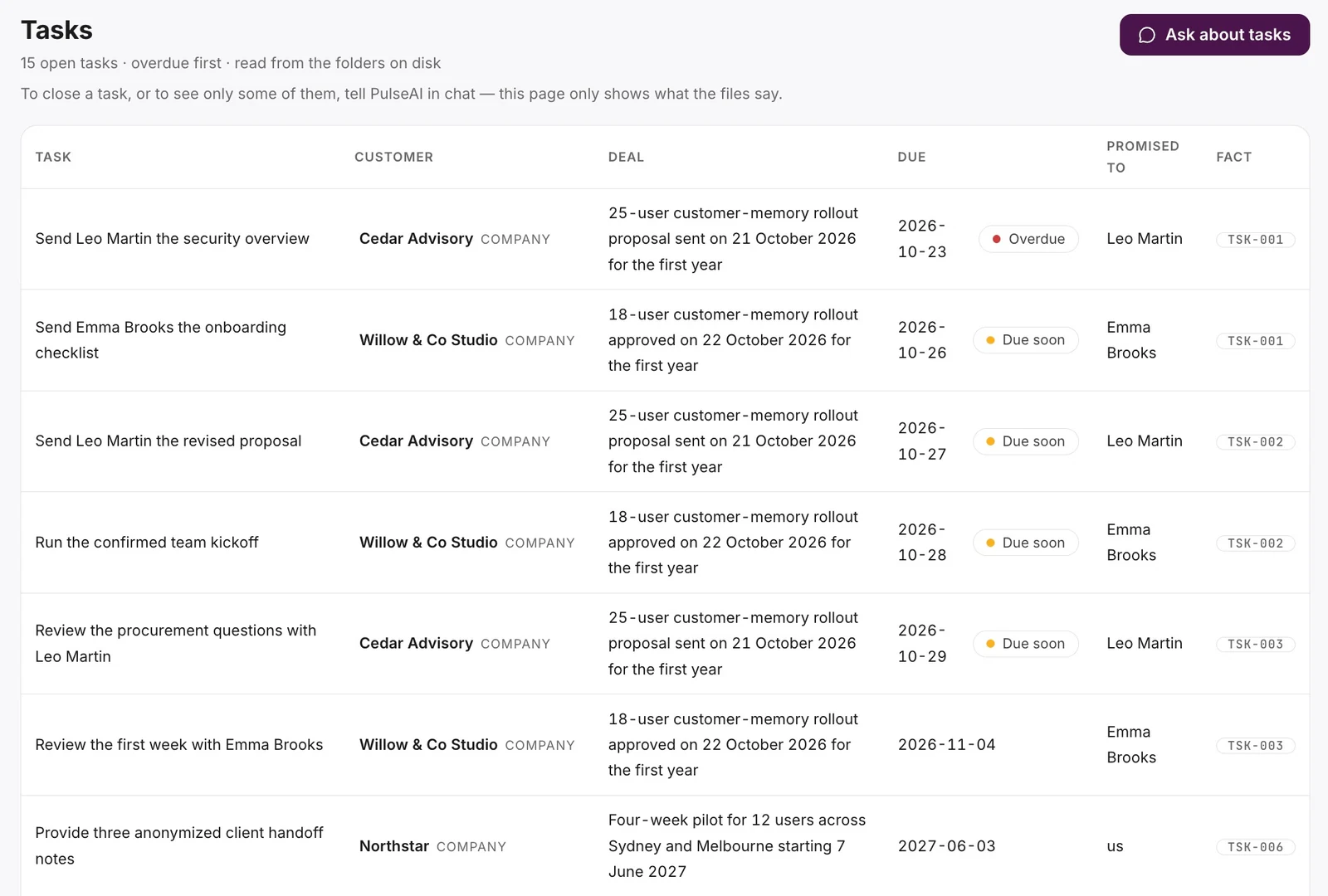
Actual Tasks page with commitments across companies, due dates, linked deals and supporting facts.
Dated commitments across customer relationships.Tasks · Desktop capture
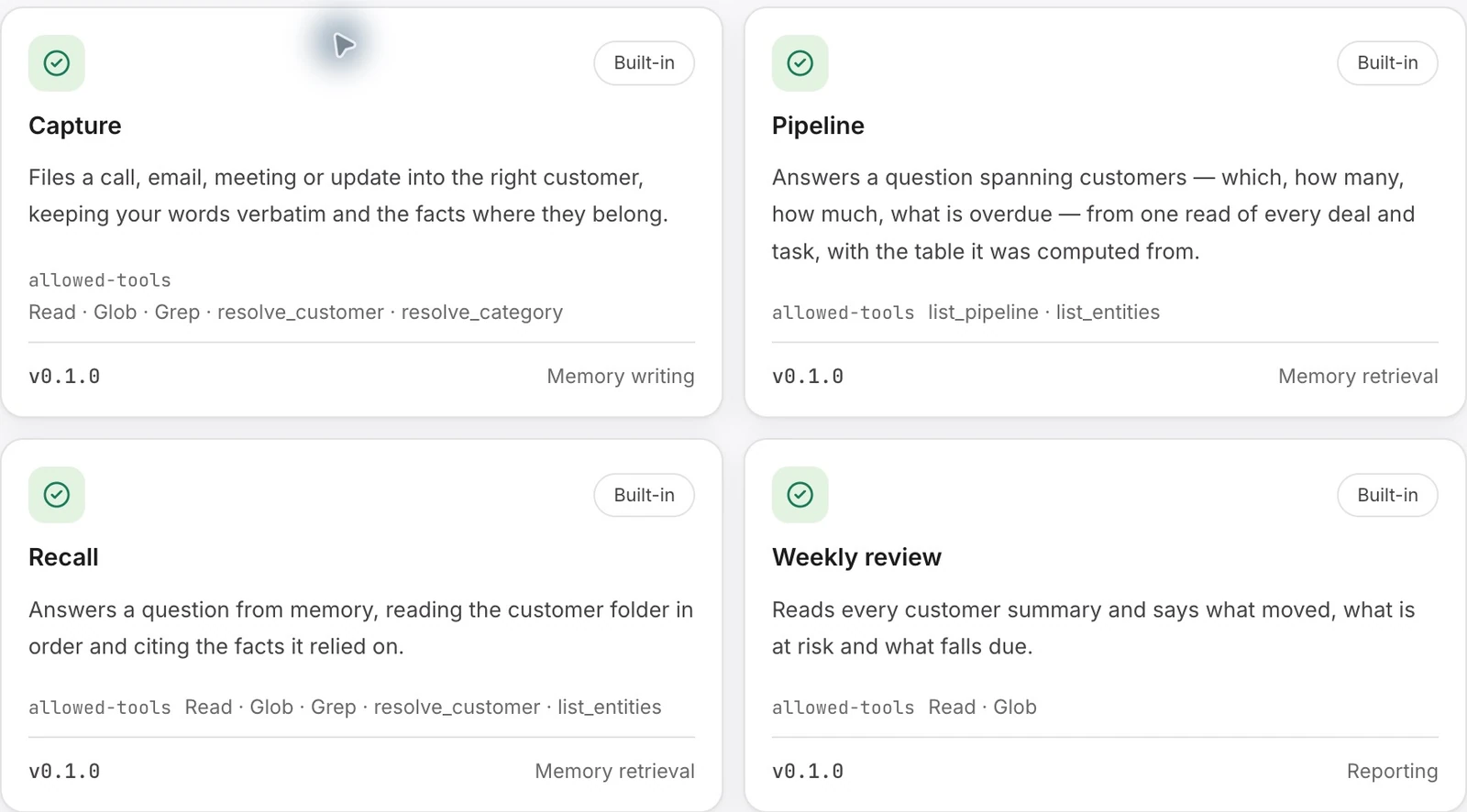
Actual Skills library excerpt showing examples of customer-memory capabilities.
The right capability, selected for your message.Skills · Desktop capture

A guided sequence of actual desktop captures. Choose a view or press play.

Ask AI

One conversation connects the work.

Describe a call, paste a note or ask a question. PulseAI retains useful customer knowledge and brings it back with the context you need.

  • Write in ordinary language; no commands to remember.
  • Ask about a client, a company or the recorded pipeline.
  • Inspect sources and ask a follow-up when you need more context.
Explore customer solutions
Actual Ask AI response with a source-cited customer call brief.
Actual desktop excerpt · Sample data

Customers

See the relationship behind the record.

Keep individual Clients and Companies connected. Bring roles, preferences, needs and commitments together as customer knowledge accumulates.

  • Open a company and see the people known there.
  • Retain individual preferences alongside business context.
  • Continue the relationship from the details already supplied.
Explore customer solutions
Actual Northstar Company view with three linked people, current context and open risks.
Actual desktop excerpt · Sample data

Deals

Give each opportunity its context.

See the deals retained from customer conversations, grouped by their recorded stage, with timing and open tasks connected to the customer.

  • Review stage, due date and a stated amount when available.
  • Connect the opportunity to its open tasks and source fact.
  • Tell PulseAI when the deal changes; no pipeline design or field maintenance.
Grow opportunities
Actual Deals page with opportunities across multiple companies, recorded stages, amounts and open tasks.
Desktop excerpts · Selected columns on mobile · Sample data

Tasks

Keep commitments in view.

Bring retained customer actions together with their due dates, deal context and who the commitment concerns. See the work without rebuilding another checklist.

  • See open tasks across customers, with overdue work first.
  • Follow a task to the customer, deal and retained fact.
  • Describe changes or completion in chat; the view follows the memory.
Follow through on commitments
Actual Tasks page with commitments across companies, due dates, linked deals and supporting facts.
Desktop excerpts · Selected columns on mobile · Sample data

Skills

The right capability. Chosen for you.

PulseAI selects the relevant Skill for your message. You ask for the outcome; the app handles the workflow. An extensible Skills foundation lets PulseAI grow with your business needs.

  • Capture is one example: retain notes and changes in customer memory.
  • Pipeline answers recorded deal and task questions across customers.
  • Recall answers from customer context; Weekly review summarizes current states, risks and due work when you ask.

Skills that grow with your business. No Skill selection or command syntax needed.

Actual Skills library excerpt showing examples of customer-memory capabilities.
Actual desktop excerpt · Sample data

Memory

Know what the answer rests on.

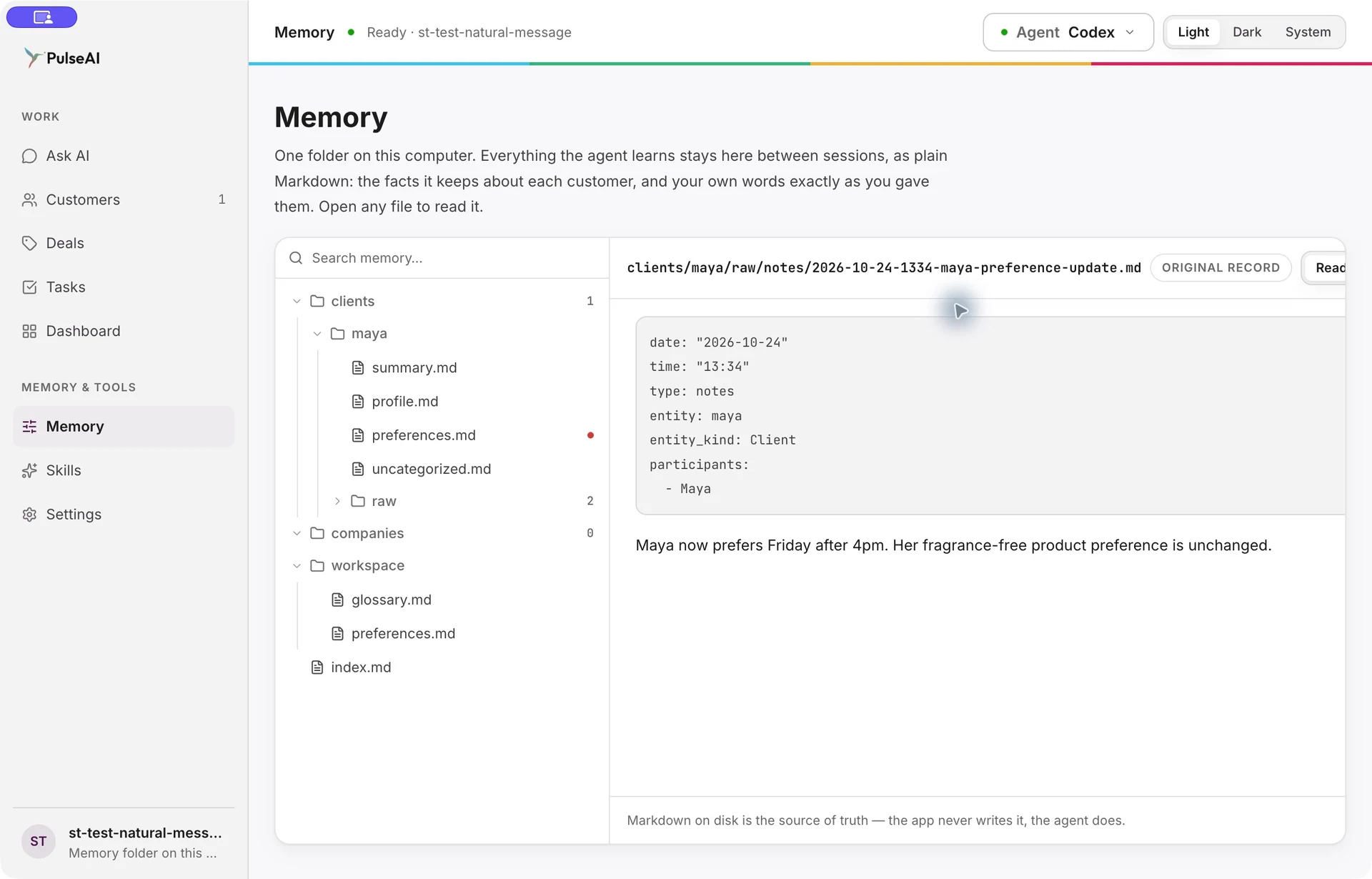
Customer knowledge stays in readable files, with the original wording behind it. Inspect a supporting note and understand what changed before deciding what to do next.

  • Keep original notes and current customer knowledge connected.
  • Review a changed preference alongside what still applies.
  • Follow an answer back to its supporting context.
Understand data and AI processing
Actual Memory pane with Maya’s original preference-update note.
Actual desktop excerpt · Sample data

Less CRM upkeep.
More customer understanding.

For business owners and customer-facing teams who want useful customer knowledge without a data-modeling job.

Just type what happened.

Send a message, share your call notes or paste an email excerpt. PulseAI selects the relevant workflow and builds customer and business views from retained knowledge, so you can understand the relationship without configuring or maintaining fields and pipelines.

See a note become customer memory

Keep the relationship moving.

A changed preference should inform the next visit. An open need should inform the next business conversation. Bring earlier context, current commitments and proposed deals together to see where to follow up.

Explore client and company workflows

Know what the answer rests on.

Inspect the supporting wording and the changes behind a customer detail. Customer memory stays in readable files on your desktop, with sources you can review before deciding your next step.

Follow an answer back to its source

See one conversation
carry forward.

Follow a client note through capture, a changed preference, a useful answer and the original source.

Take the product tour

Lasting customer memory. Stronger relationships. Clearer next steps.

See PulseAI in your
customer workflow.

Bring a customer workflow you want to improve. See how PulseAI helps you retain what matters, prepare your next conversation and spot where to follow up.

Request a demo