

Keep commitments visible
Retain the action, the customer it belongs to and the due date when one is supplied.
For customer-facing owners, service teams and account managers
Keep commitments, due dates and customer context together, so the next step is easier to see and follow through on.
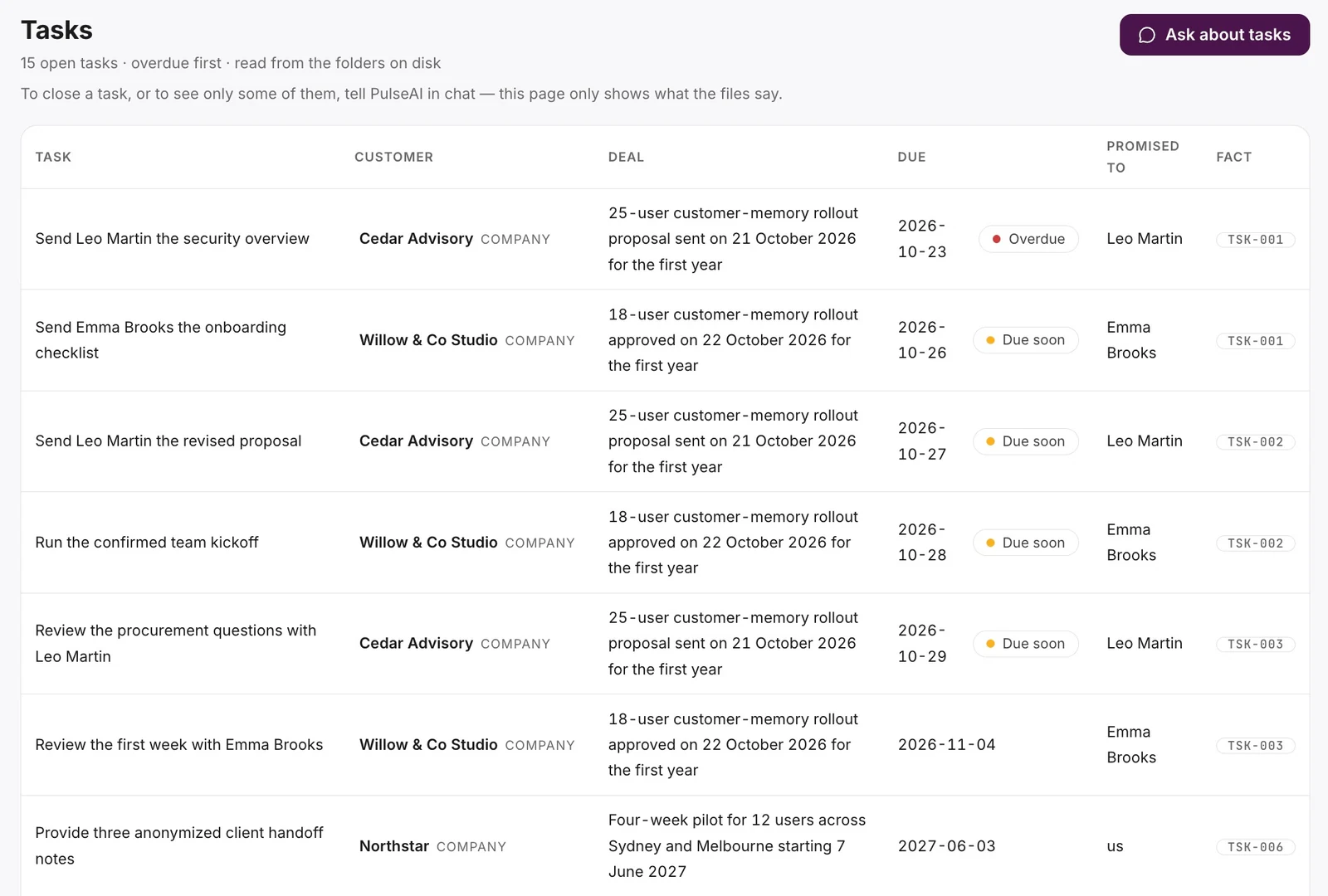
Notes are easy to write and easy to lose track of. A promised walkthrough or review can disappear between the conversation and the work. Bring the commitment back with the customer context that explains it.
Retain the action, the customer it belongs to and the due date when one is supplied.
Understand which tasks are tied to a deal and which customer question still needs an answer.
Tell PulseAI when a commitment changes. Keep the updated timing connected to the earlier context.
In practice · Sample data
Priya’s export walkthrough is now set for 4 June 2027 at 2pm. The 5 June go/no-go discussion remains. The actual Tasks page also shows the handoff notes, pilot-user nomination and data-handling review alongside their dates and customer context.
“Show the open tasks for Northstar, including their due dates and supporting facts.”
Type in ordinary language. PulseAI selects the relevant workflow and asks for clarification when needed.
Paste a meeting note or describe the promise, including who it concerns and any date that was agreed.
Open Tasks to see retained commitments, due dates, customer links and their supporting facts.
Describe a changed deadline or completed task in chat. The view follows the customer memory.
Made possible by
This workflow retains and surfaces commitments. The demonstrated task list does not send emails, carry out a walkthrough or book a meeting.
Tell PulseAI what changed in the conversation. The Tasks page displays the retained customer record; you do not need to maintain a second checklist by hand.
The task can remain visible with its date unstated. PulseAI should not turn a missing date into an invented deadline.
Lasting customer memory. Stronger relationships. Clearer next steps.
Bring a customer workflow you want to improve. See how PulseAI helps you retain what matters, prepare your next conversation and spot where to follow up.
Request a demo