

Remember what matters
Keep the preferences and needs a client shares, in the language they were given.
For service businesses and people who know their clients personally
Carry preferences, changing needs and past commitments into the next interaction, without rebuilding the relationship from scattered notes.
A preferred appointment time. A product sensitivity. A request still waiting on an answer. These details shape a good customer experience, but they rarely fit neatly into a rigid form.
Keep the preferences and needs a client shares, in the language they were given.
Use the latest preference while retaining the details that still apply.
Prepare the next visit or check-in with a customer view and the supporting conversation.
In practice · Sample data
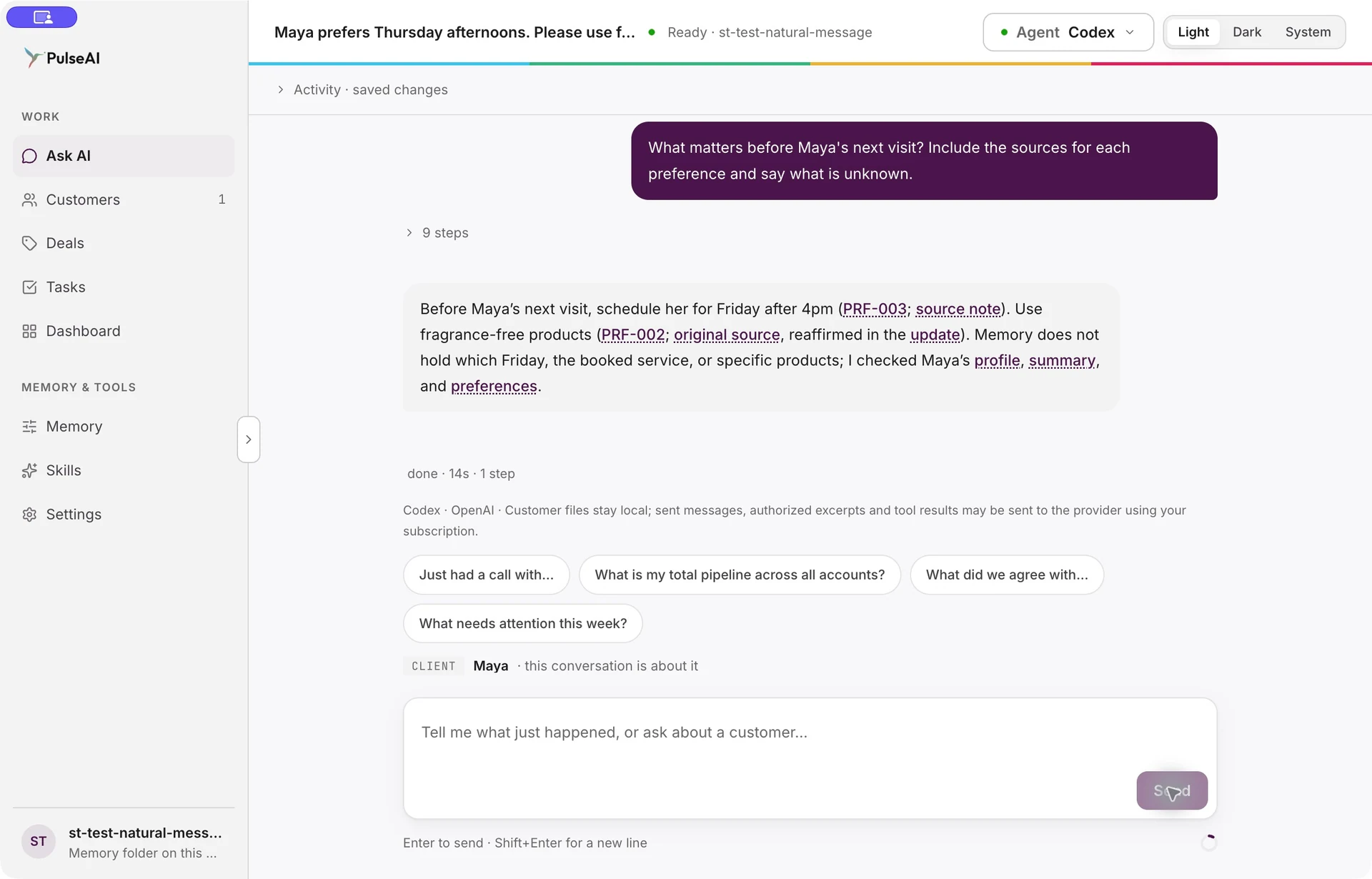
Maya first preferred Thursday afternoons and fragrance-free products. A later message changed her preferred time to Friday after 4pm. The actual update replaced the earlier appointment preference while retaining the unchanged product preference.
“What matters before Maya’s next visit? Include the sources for each preference and say what is unknown.”
Type in ordinary language. PulseAI selects the relevant workflow and asks for clarification when needed.
Type the note after a call or visit. Confirm a new client in the conversation when asked.
Tell PulseAI when a preference changes. There is no customer schema to redesign.
Ask what matters before the next visit, and open the original wording if you need to check a detail.
Made possible by
No. PulseAI supports individual client relationships as well as business-to-business customer work. The same conversation-first approach retains preferences, needs and commitments.
No. Describe the preference in ordinary language. Customer views derive from retained memory, without setting up custom fields.
The Maya example shows the new appointment preference becoming current while the unchanged product preference remains. The source notes retain the original wording.
Lasting customer memory. Stronger relationships. Clearer next steps.
Bring a customer workflow you want to improve. See how PulseAI helps you retain what matters, prepare your next conversation and spot where to follow up.
Request a demo